

CRM Managers shape CRM’s boards.
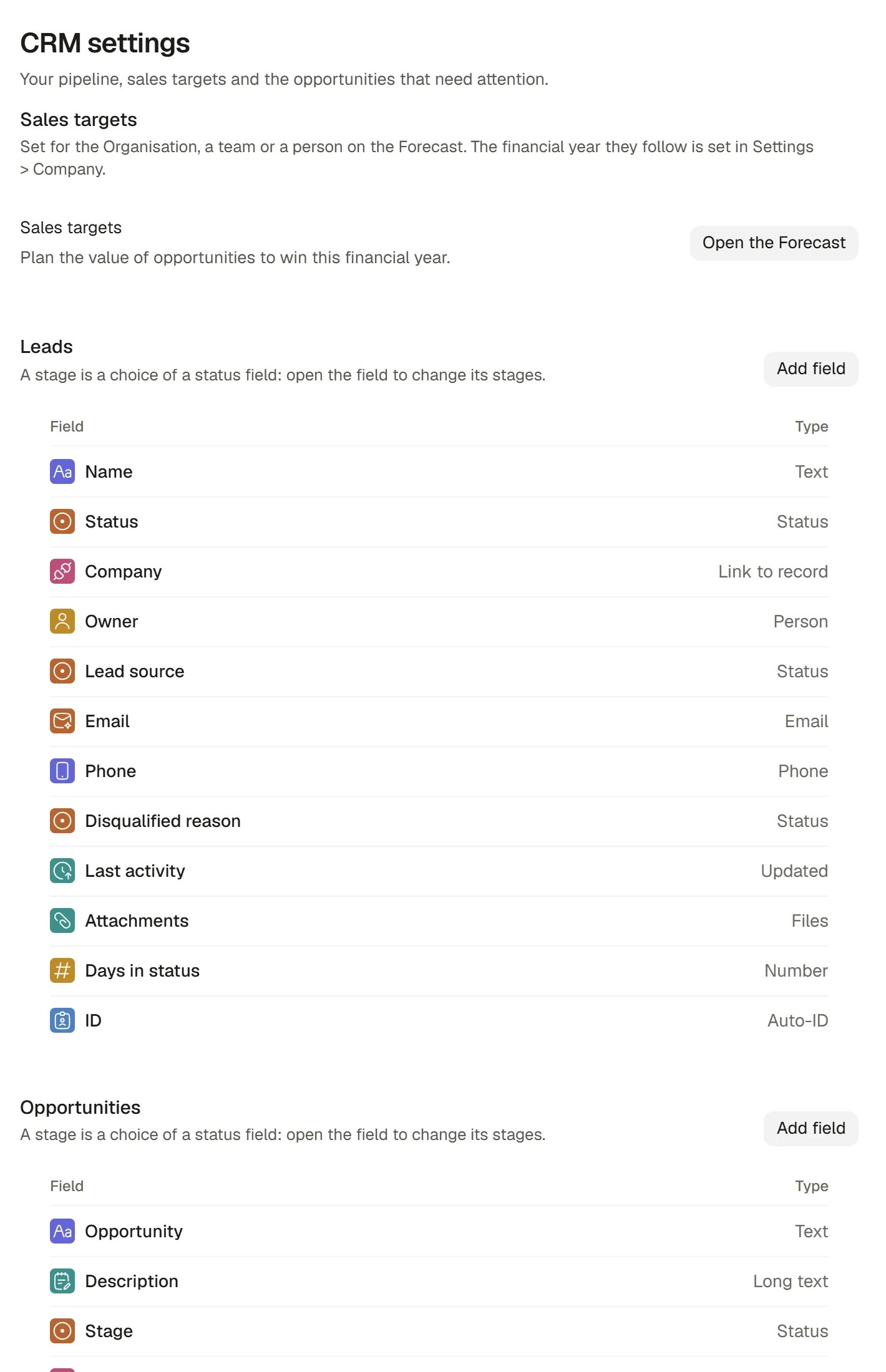
CRM settings
Open CRM settings
In CRM’s sidebar, choose Settings under Setup. The page is titled CRM settings and holds:- Sales targets, with an Open the Forecast button. Targets are set on the Forecast. See Forecast and targets.
- One section for each CRM board your Organisation has: Leads, Opportunities, Companies and Contacts. Each lists the board’s fields, with the field’s Type, and an Add field button.
Add a field
1
Choose Add field in the board's section
For example, in Opportunities. The button is disabled, with the reason, if you may not shape that board.
2
Choose a type and name it
The field centre offers the types a board supports: text, choices, dates, people, amounts of money and links to other records, among others.
3
Save
The field appears on the board’s column menu and in its records’ panels.
Change your pipeline stages
A stage is a choice of a status field. Leads have Status and Opportunities have Stage. To change them, open that field in its section.1
Open the Stage field
In Opportunities, choose the Stage row.
2
Edit each choice
Under Each choice, rename a stage, change its colour, and move it up or down. Add choice adds a stage, and the close mark beside a stage removes it.
3
Set what each stage means
Use the settings described below on every stage.
4
Save
The owner of the data refuses a change that cannot stand, for example removing a stage that still holds records, and says why.
What each stage setting does
Set the forecast category
Each open stage names its Forecast group from the Opportunity’s categories: Pipeline, Best case, Commit, Closed and Omitted. A new stage starts in the same group as the default stage. A closing stage shows the group its outcome is bound to (Won is Closed; Lost and No bid are Omitted) and cannot be changed. Setting or changing a stage’s category gives it to the Opportunities already at that stage, except any where someone chose a category themselves. An open stage with no category leaves its Opportunities out of Commit and Best case, so set one for every open stage. The Forecast counts the ones that are missing. See Forecast and targets.A person’s own probability or forecast category on an Opportunity holds until its stage next changes. Changing a stage’s defaults does not overwrite it.
Other things CRM reads
How it works
- Who is a Manager. An Organisation Admin who holds a CRM seat is a Manager. Settings is offered in the sidebar only to people who may shape CRM’s boards. A person who opens its address anyway can read the fields, each with the reason they cannot change them.
- CRM’s boards are installed for you. You shape them; you do not build them.
- Configuration goes through the same door as any board’s fields, so it follows the same rules as Boards, tables and views.
- A Manager’s change takes effect for everyone in the Organisation.
FAQ
Why can I not see Settings?
Why can I not see Settings?
It is offered only to people who may shape CRM’s boards. Ask an Admin to give you the Manager level on CRM, under Product seats on the Members page.
Can I rename the stages?
Can I rename the stages?
Yes. Rename a stage in the Stage field. The Opportunities at it follow, and nothing else needs updating.
I removed a stage and it is refused.
I removed a stage and it is refused.
Records still sit at it, or Saphion needs it for something it reads. Move the records first, then remove the stage.
Related
- Forecast and targets: What these settings feed, and where targets are set.
- Opportunities and pipeline: The stages as people use them.
- Fields: Field types and settings.
- Invite and manage people: Give someone the Manager level.