

Everyone with a Platform seat has both.
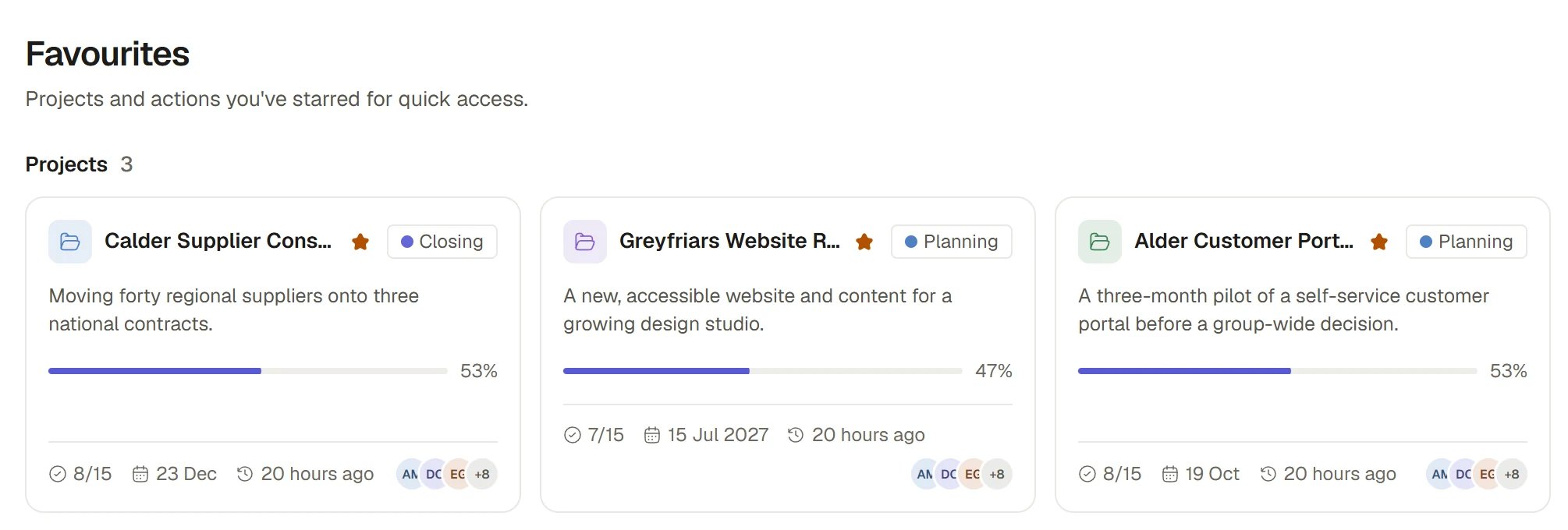
Favourite Projects
Star something
You can star a Project, an Action or any other record, a file, a board or a dashboard. Starring is a toggle, and a star is yours alone.- A record or an Action
- A Project
- A file, a board or a dashboard
Open it, then choose the star in the head of the record panel, labelled Add to favourites. The same star reads Remove from favourites once it is on.
Open your Favourites
Choose Favourites in the personal block near the top of the sidebar. It groups what you starred:
Select a Project card, or any row, to open it. To remove one, use its star. If you have starred more than the list shows at once, choose Show more. An empty Favourites says “No favourites yet”.
Find a creation
1
Open Creations
Choose Creations in the personal block of the sidebar. It also appears as a door in Beacon’s own sidebar.
2
Choose the tab
All is everything you made or were given. Private is what only you and the people you invited can open. Shared with you is what others made and shared with you.
3
Search, filter and switch layout
Search by name and filter by type. Use the layout switch to see creations as cards or as a table with Type, Project, Opened, Updated and Shared with.
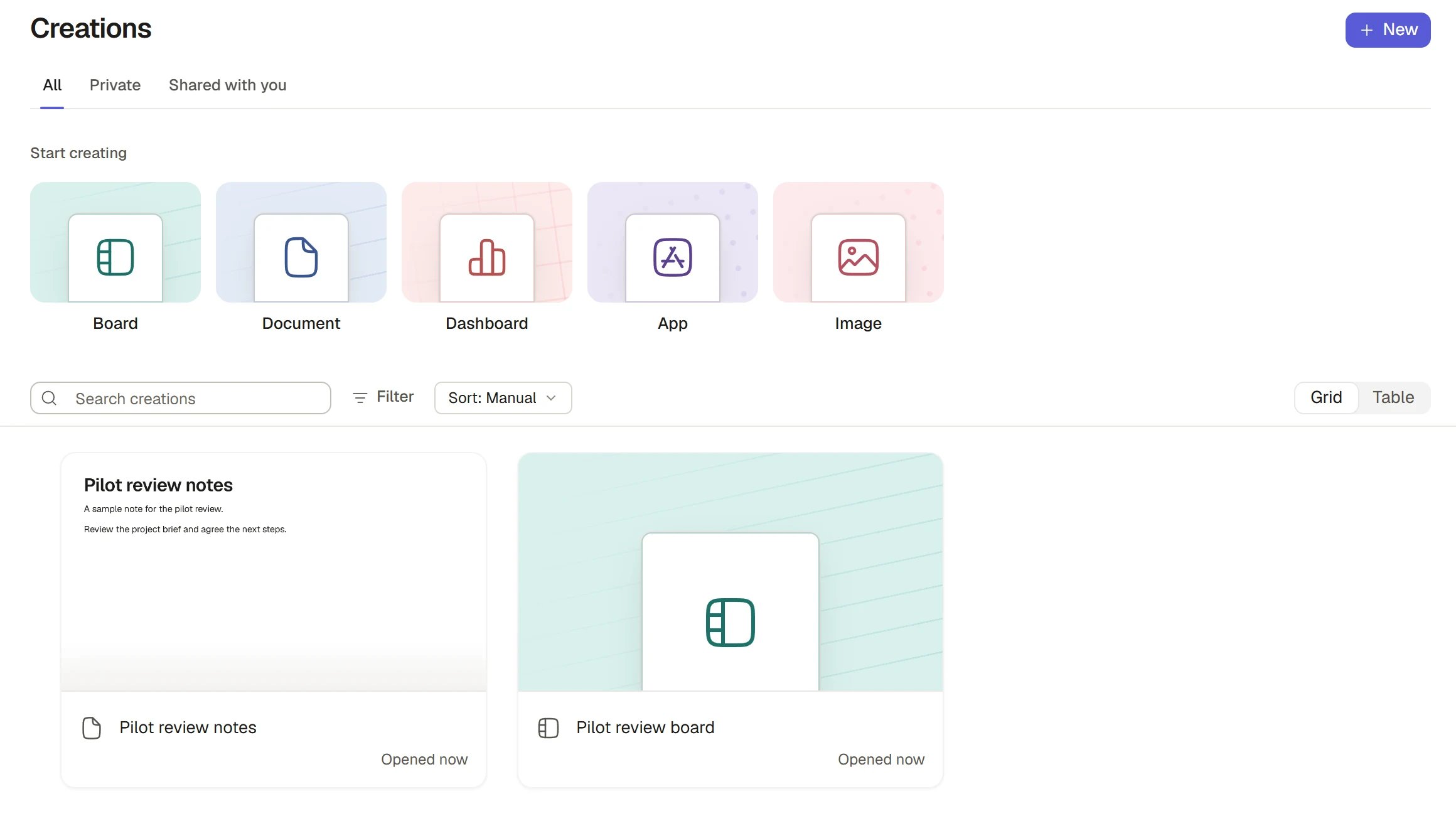
Your creations
Make something new
Choose New in the head of Creations, or one of the Start creating cards on an empty list.An entry marked “Coming soon” is not available to your Organisation yet and does nothing when you choose it.
Creations inside a Project
A Project’s Creations tab is this same list narrowed to what is filed in that Project. It has no tabs, because the Project’s people decide who can open its contents. It offers the same New choices and files whatever you make in the Project. You see New there only if you may add to the Project and it is open for work.Act on a creation
Open a card’s or row’s menu for the acts that apply to its type:- Copy link copies an address that opens only for people who can already open the item.
- Add to favourites or Remove from favourites.
- For a file or an image: Share, Rename, Download and Move to a Project.
- Archive hides it from normal views, and Delete moves it to the Bin. Tick several to act on them together from the bar that appears. See Bin and restore.
How it works
- Favourites are private; Creations is limited. A Favourites list is private to you. What you see in Creations is limited to what you made or can open.
- Creations is a view, not a store. Each item lives with its own owner. Changing a name, a star or its sharing here is changing the item itself.
- Private first. Everything you make is private to you until you share it or file it in a Project, where it follows the Project’s people.
- A star does not give access. Favourites lists only what you already have the right to open.
Ask Beacon
- “Make an image of a site hoarding in our brand colours.”
- “Find the dashboard I made last week for the Harbour Road Project.”
FAQ
Where did the thing Beacon made for me go?
Where did the thing Beacon made for me go?
Look in Creations under All. Files and images Beacon makes appear there with their type, and a Project’s own appear on its Creations tab.
What is the difference between Creations and Files?
What is the difference between Creations and Files?
Files holds stored files and your connected drives. Creations also holds boards and dashboards, and shows files you uploaded or made alongside them.
Why can a colleague not see my Favourites?
Why can a colleague not see my Favourites?
Stars are personal. Share the item itself if you want others to find it.
Related
- Dashboards: Build and share a dashboard.
- Files: Upload files and connect drives.
- Sharing and access: Decide who can open what you make.
- Projects: File creations in a Project.