

Everyone in the Organisation can read Actions settings, and only an Organisation Admin can switch an add-on on or off.
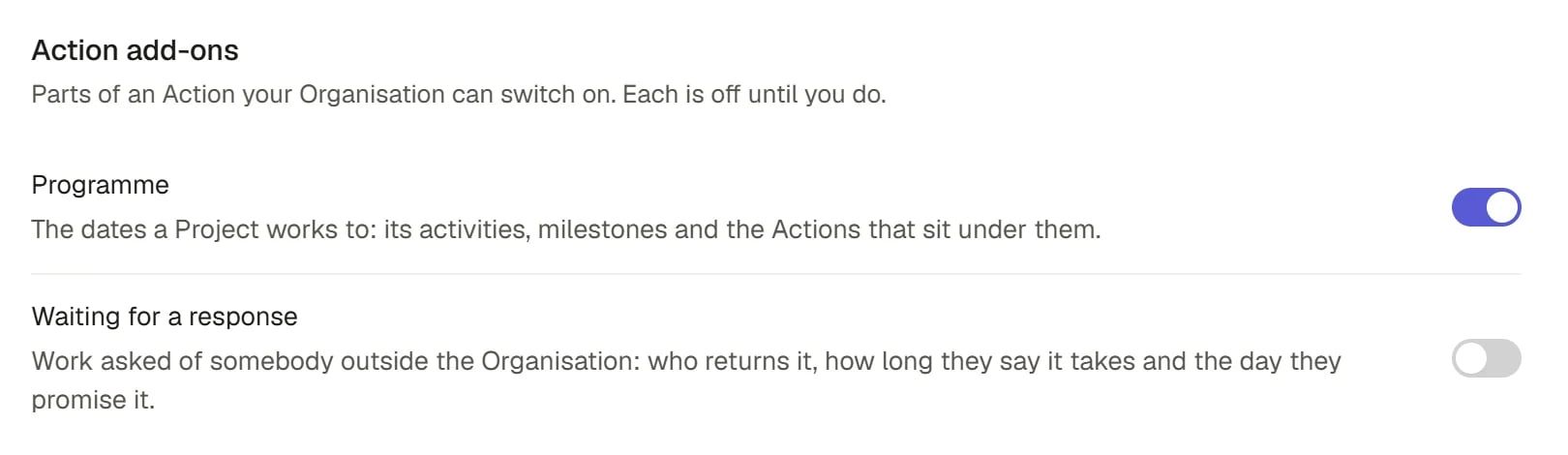
Action add-ons
Open Actions settings
Choose Settings in the sidebar, then Actions under Organisation. The section is called Action add-ons and lists each add-on with a switch. If you are not an Admin the note says “Only an Organisation Admin can switch them” and the switches are unavailable.Switch an add-on on
Press the switch beside the add-on. Saphion adds the add-on’s fields to every Action in the Organisation and shows the switch as on only once it has done so. Nothing is optimistic: if Saphion refuses, the switch stays where it was and the reason appears under it. There are two add-ons.Programme
The dates a Project works to: its activities, milestones and the Actions that sit under them. Switching it on adds three fields to Actions:
It also adds programme lines to the Organisation: summary spans, milestones and the activities that carry work. A Project then shows a Programme tab with its milestones on a timeline. See Projects.
Waiting for a response
Work asked of somebody outside the Organisation: who returns it, how long they say it takes and the day they promise it. Switching it on adds three fields to Actions:
Naming a provider grants that Contact nothing and sends them nothing. Working days follow your working week.
Switch an add-on off
Press the switch again. Saphion removes the add-on’s fields from the Actions table and the add-on’s own records, but only if no record holds a value in them. Otherwise it refuses and says how many hold values, so nothing is lost silently:Programme cannot be switched off: 3 Actions and 2 programme lines hold values in it. Clear them first.Clear the values, then switch it off again.
How it works
- The add-ons belong to the Organisation, not to a Project or a person. Switching one on adds its fields to every Action.
- A switch is a published change. Two Admins changing add-ons at once never overwrite each other: Saphion refuses the later one and asks you to try again.
- An add-on’s fields join the Action’s other fields. What a person can see and change on an Action still follows its sharing. See Sharing and access.
- Switching an add-on on or off is recorded in Audit.
FAQ
Saphion will not switch an add-on off.
Saphion will not switch an add-on off.
Records still hold values in its fields. The message counts them. Clear those values, then try again.
Where do I use Provider and Turnaround?
Where do I use Provider and Turnaround?
On the Action itself. Once the add-on is on, its fields join the Action’s other fields. See Actions.