

Organisation Admins only.
Data and privacy settings
Open Data and privacy
Choose Settings in the sidebar, then Data & privacy under Organisation. It has two groups: Memory and Retention.Switch Memory on or off
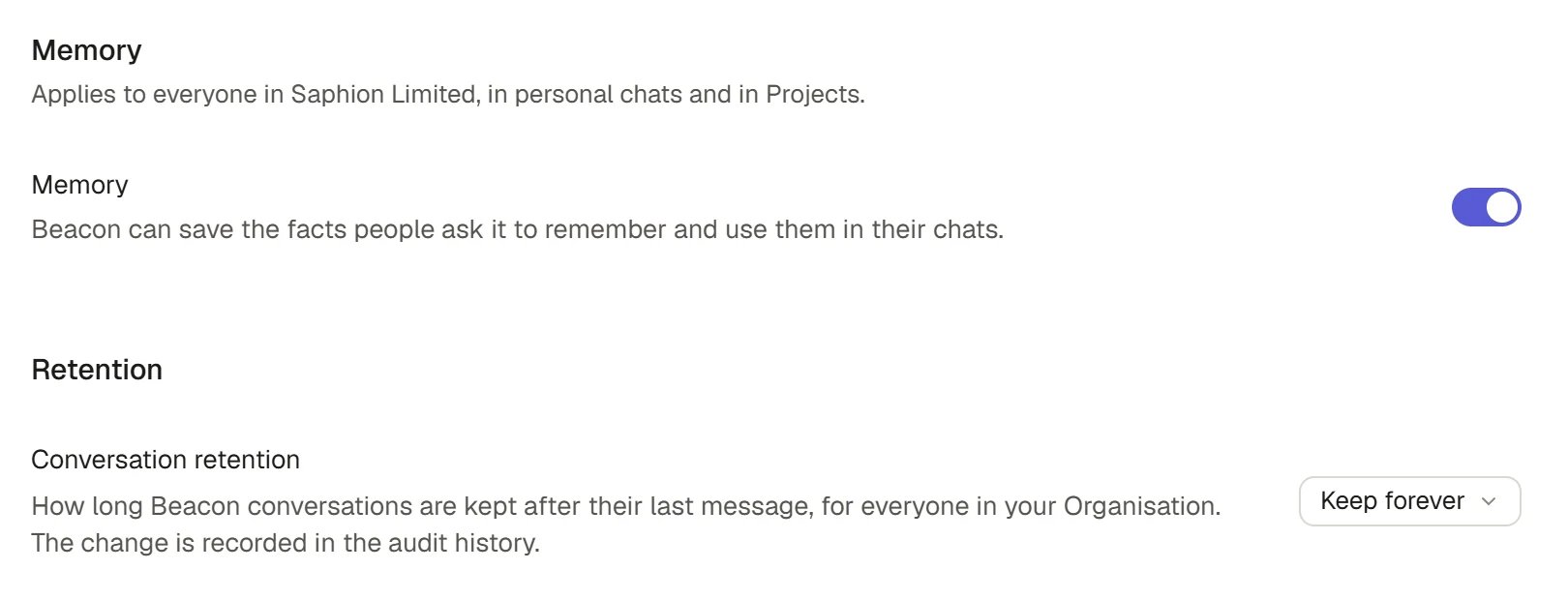
Memory is what Beacon saves when a person asks it to remember something, and uses in their chats. The switch is over Memory itself. It is never an Organisation-wide store of anyone’s notes: each person’s memories stay their own. The group says “Applies to everyone in” your Organisation, “in personal chats and in Projects”.1
Open Data & privacy
The Memory group has one switch, also called Memory. It is on by default.
2
Press the switch
Saphion saves the change and shows the result. If the switch cannot be saved, the reason appears under it with Try again.
Switching it off does not delete anything. Switch it on again and the paused memories are used again, or a person forgets them in their own Settings > Memory. A person can also switch their own memory off. Beacon saves and uses a person’s memory only when both the Organisation’s switch and their own are on. See Memory and privacy.
Choose how long conversations are kept
Conversation retention is how long Beacon conversations are kept after their last message, for everyone in your Organisation.1
Open the Keep conversations for select
It is in the Retention group.
2
Choose a period
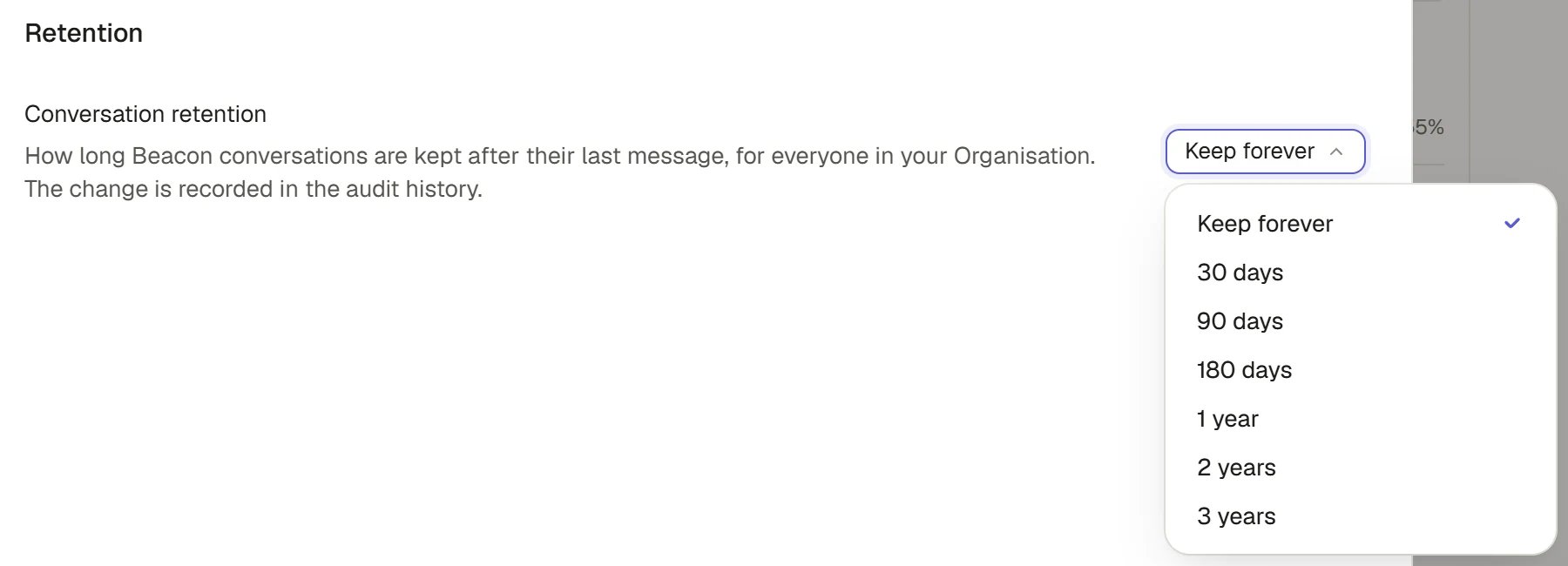
The choices are Keep forever, 30 days, 90 days, 180 days, 1 year, 2 years and 3 years. If your Organisation already has another period, such as one set before, that period is listed too.
3
Confirm it saved
The select applies the change as soon as you choose it. The change is recorded in the audit history.
Conversation retention
How the period is applied
A nightly job applies the window. It does nothing for an Organisation that keeps conversations forever. Otherwise it deletes each conversation that is past the window, just as if its owner had deleted the chat.How it works
- Everyone can see the window. Every person sees the conversation window, read-only, in their own Settings > Privacy & data.
- Default. A new Organisation keeps conversations forever and has Memory on.
- Limits. A period is a whole number of days from 30 to 3,650. The select offers the common choices.
- Everyone sees the window. The period you set is the one enforced, and each person can read it under Settings > Privacy & data, along with their own tools for managing their conversations.
- Only Admins change it. Anyone else is refused in words. A change made while another Admin was changing it is refused, not written over.
- Not the same as the Bin. Deleting a conversation by hand, or by the window, is permanent. The Bin is for records, files and other work. See Bin and restore.
FAQ
Does switching Memory off delete what Beacon remembered?
Does switching Memory off delete what Beacon remembered?
No. Saved memories are kept and paused. People can still open Settings > Memory to view or forget them.
Can an Admin read people's memories?
Can an Admin read people's memories?
No. Each person’s saved facts are private to them. The Organisation’s switch only decides whether Beacon may save and use them.
Can I recover conversations deleted by the retention period?
Can I recover conversations deleted by the retention period?
No. They are deleted permanently. Choose a longer period or Keep forever before the window passes if you may need them.
Does the period apply to chats in Projects?
Does the period apply to chats in Projects?
It applies to every Beacon conversation in the Organisation, counted from its last message.
Related
- Memory and privacy: What Beacon remembers and who sees it.
- Audit: Where changes to these settings are recorded.
- Bin and restore: What can be restored, and what cannot.