

Everyone with a Platform seat manages their own memory and chats.
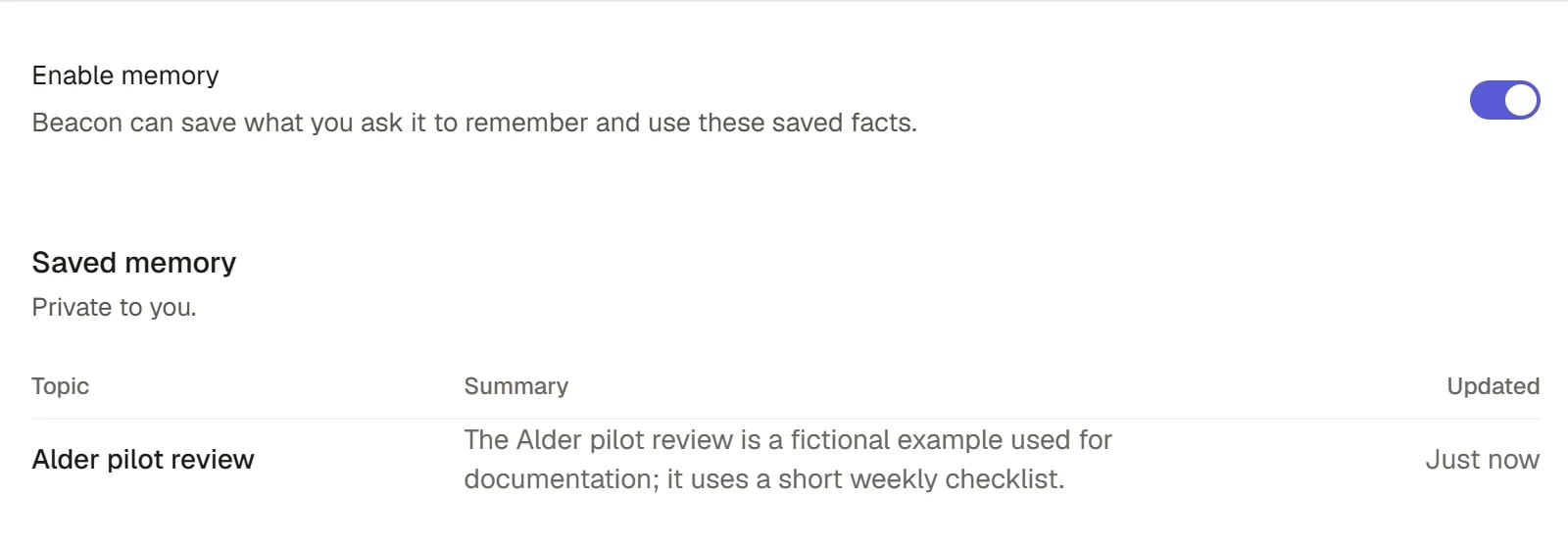
Saved memory
Ask Beacon to remember something
Tell Beacon in a chat: “Remember that I prefer short answers with the figure first.” Beacon saves a memory with a topic, a one-line summary and the details. It does not save anything on its own.- Beacon sees your saved memories at the start of every chat, with Pinned ones first. It uses them to answer the way you asked.
- In a chat filed under a Project, Beacon uses the Project’s memory instead of your own. See Projects in Beacon.
- Beacon can also look back through your earlier chats when you ask, for example “What did we decide about the tender last Tuesday?” It reads only your own chats.
Manage your memory
Open Settings > Memory.1
Check that Memory is on
Enable memory is a switch at the top. When it is on, Beacon can save what you ask it to remember and use what is saved. When it is off you can still view or forget saved memories.
2
Read your memories
Memories are grouped as Pinned (“Beacon sees these first”) and Saved memory. Each row shows its topic, a summary and when it was updated. Memory is private to you.
3
Open one to see the detail
A memory shows its Summary, its Details, who contributed, the chats it came from (Open source chat) and when it was last updated.
4
Pin or forget
Pin keeps a memory at the top, where Beacon sees it first. Forget removes it at once, with no confirmation.
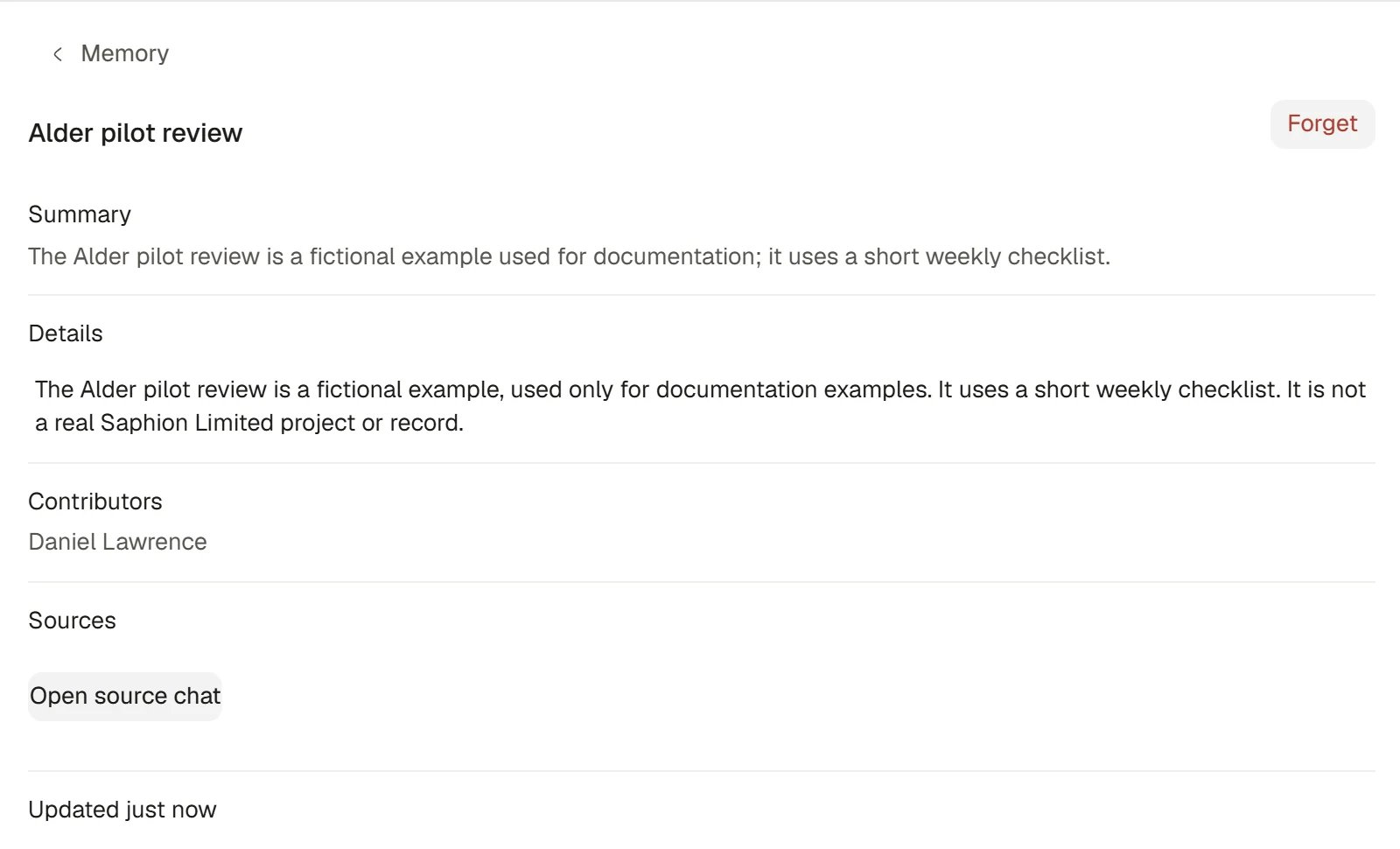
Inspect a memory
If your Organisation turns memory off
An Admin can switch memory off for the Organisation. Beacon then neither saves nor uses memories for anyone. Yours are kept, paused, and Settings > Memory says “Memory is off for your Organisation”. You can still view or forget them.Control your chats
Open Settings > Privacy & data. It has four parts.Retention
Conversation retention shows how long your Organisation keeps your Beacon conversations after their last message, for example Keep forever or 90 days. It is marked “set by your organisation”. Only an Admin changes it.Archived chats
When you choose Archive on a chat, it leaves your lists but is kept here. You can search the list, then:- Open a chat, to read it from its address.
- Choose Unarchive to bring it back to where it was.
- Choose Delete to remove it. You are asked once, and a deleted chat is gone for good.
Delete all conversations
Under Delete your data, Delete all conversations permanently removes your conversation content, attachments and conversation diagnostics. Choose it, then Confirm delete. Content-free operational and usage records are kept. Saphion tells you how many conversations were deleted and, if any could not be, why.Shared links
Shared links lists any links that were made to your chats. Delete one with its delete button, or choose Delete all shared links. Deleting a link stops it working but does not delete the chat. A link opens a chat only for people who could already read it, which for a Beacon chat is only you. Sharing a chat by link is not available today.How it works
- Admins set the Organisation’s side. Organisation Admins set the Organisation’s memory switch and conversation retention. See Data and privacy.
- Beacon never saves a memory you did not ask for.
- A memory can be edited only by asking Beacon to change it. Forget and Pin are the controls in Settings.
- Archiving hides a chat; it does not delete it.
- Instructions are different from memory. Instructions are standing guidance you write; see Instructions.
Ask Beacon
“Remember that all our reports go to Priya first.” Then, later, “Pin the memory about reports to Priya.” Beacon confirms in the chat, and the memory appears in Settings > Memory.FAQ
Can my Admin read my chats?
Can my Admin read my chats?
No. Chats are private to the person who started them, and there is no Admin screen for reading them. An Admin sets how long your Organisation keeps them.
Can colleagues see my memories?
Can colleagues see my memories?
No. Your personal memory is private to you. A Project’s memory is shared with the people who can open the Project.
Why is my memory empty?
Why is my memory empty?
Beacon saves a memory only when you ask. Tell it in a chat what to remember. If Enable memory is off, or your Organisation has turned memory off, nothing new is saved.
What is the difference between archive and delete?
What is the difference between archive and delete?
Archive keeps a chat and moves it to Archived chats. Delete removes it permanently.
Related
- Data and privacy: For Admins: the Organisation’s memory switch and retention.
- Chat with Beacon: Pin, archive and file chats.
- Projects in Beacon: A Project’s shared memory.
- Instructions: Standing guidance, as opposed to memory.